How to Turn a Standard Unit at The Hill at One North into a Home Office Powerhouse in 2026
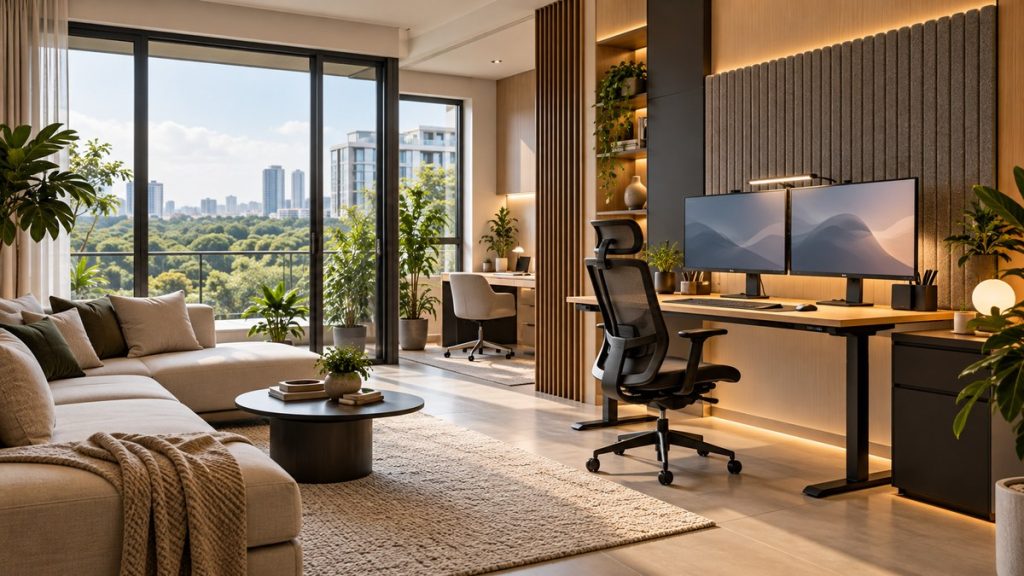
Living in a premium condominium like The Hill at One North gives you a head start on creating a workspace that rivals any CBD office. The challenge is that standard unit layouts rarely come with a dedicated, full sized study room. You might be looking at a spare bedroom, a study nook, or even a corner of the living room. The good news? With the right plan, any of these spaces can become a home office powerhouse. This guide walks you through the exact steps to make that happen in 2026, focusing on layouts that work for real people.
A successful home office setup in a townhome or condo relies on three pillars: choosing the right footprint in your unit, investing in ergonomic furniture that fits the space, and using smart tech to separate work from home life. This guide shows you how to audit your floor plan, pick the best room, and furnish it for maximum focus and comfort.
Finding Your Office Footprint at The Hill at One North
Before you buy a single piece of furniture, you need to understand the space you have. The Hill at One North offers a range of unit types, from one bedroom layouts to larger family sized apartments. Each one presents different opportunities for a home office.
Start by looking at your floor plan. You can find detailed layouts in our guide to the hill at one north floor plans which unit layout suits your lifestyle. Identify these potential zones:
- The spare bedroom: This is the gold standard. It offers a door you can close, privacy for video calls, and enough square footage for a desk, chair, and storage.
- The study nook: Many units have a small alcove or an area near the entrance. This works well for a compact desk and a laptop setup.
- The dining room corner: If you have a dining area that sees limited use, one end can become a dedicated workspace with a room divider or a large bookshelf.
- The balcony (if enclosed): Some residents convert a covered balcony into a bright, airy office. This is a great option if you need natural light.
Once you have identified your zone, measure it. Write down the length and width of the wall you plan to use. This prevents the common mistake of buying a desk that is too large for the room.
The 3 Step Process to Set Up Your Home Office
This process works for any room in your unit. Follow it in order.
-
Audit your workflow. List the tasks you do every day. Do you take many video calls? Do you need space for a second monitor? Do you print documents? Your workflow dictates your furniture needs. A software engineer needs a different setup than a graphic designer or a customer support agent.
-
Choose the right furniture dimensions. For a standard room at The Hill at One North, a desk that is 60cm deep and 120cm wide is usually a good fit. If you have the spare bedroom, you can go up to 150cm wide. For a study nook, look for a wall mounted desk that is 50cm deep. This saves floor space.
-
Install your tech and cable management. Run all cables before you place heavy furniture. Use adhesive cable raceways along the skirting board. Plug your monitor, laptop, and desk lamp into a power strip with USB ports. This reduces clutter and makes the space look clean.
Ergonomic Essentials for a Condo Office
Working from home in 2026 means you likely spend eight hours or more at your desk. Your body will thank you for investing in ergonomics.
| Element | Budget Option | Premium Option | Key Mistake to Avoid |
|---|---|---|---|
| Chair | A mesh back chair with adjustable armrests from a local retailer. | A high end ergonomic chair with lumbar support and seat depth adjustment. | Buying a chair that is too tall for your desk. Your feet should rest flat on the floor. |
| Desk | A fixed height desk that matches your seated elbow height. | A sit stand desk with a programmable memory for height settings. | Using a desk that forces you to hunch forward to see the screen. |
| Monitor | A single 24 inch monitor on a simple stand. | A 27 inch monitor on a fully articulating arm. | Placing the monitor too low. The top of the screen should be at or just below eye level. |
| Lighting | A desk lamp with adjustable brightness and colour temperature. | A monitor light bar that illuminates your keyboard without glare. | Relying only on the overhead ceiling light, which can cause screen glare and eye strain. |
Expert advice from an interior designer who specialises in condo spaces: “Wall mount everything you can. In a standard unit, floor space is your most valuable asset. Mount your monitor, your shelves, and even your desk if possible. It makes the room feel twice as large.”
Smart Tech Upgrades for 2026
Technology can make your home office more efficient. Focus on tools that solve a specific problem.
- A smart power strip: This lets you turn off all your devices with one button. It saves electricity and reduces standby power drain.
- A USB C hub: If you use a laptop, a single hub connects your monitor, mouse, keyboard, and ethernet cable. You plug in one cable when you sit down.
- A white noise machine: This is especially useful if your office is near the living room or a common corridor. It masks household sounds and helps you concentrate.
- A webcam with a privacy shutter: For video calls, a good webcam with a built in shutter gives you peace of mind.
Avoiding Common Setup Mistakes
Many people rush into setting up their home office and make errors that hurt their productivity. Here are the most common ones and how to avoid them.
- Placing your desk against a window. The glare from outside makes it hard to see your screen. Instead, place your desk perpendicular to the window. This gives you natural light without the glare.
- Using a dining chair as an office chair. Dining chairs lack lumbar support and are not designed for long hours. Your back will hurt after a week.
- Ignoring cable management. Loose cables look messy and can trip you. Use cable ties and raceways to keep everything tidy.
- Setting up in the darkest corner of the room. Poor lighting causes eye fatigue. Always add a dedicated task light.
- Forgetting about ventilation. If your office is in a small room without windows, consider a small air purifier or a fan. Stale air makes you drowsy.
Making the Most of Your One North Location
One of the biggest advantages of living at The Hill at One North is the neighbourhood itself. Your home office setup does not have to trap you indoors. When you need a change of scenery, you are steps away from some great spots.
You can take a laptop and work from a nearby cafe for an hour. Check out our list of best brunch cafes near the hill for a relaxing weekend morning for inspiration. If you need to print documents or use a dedicated meeting space, the co working lounges in the area are a short walk away.
The environment around One North also supports focus. The best parks and green spaces near one north for weekend relaxation are perfect for a midday walk to clear your head. This balance between a well equipped home office and access to external spaces is what makes this location so valuable for remote workers.
The Best Floor Plans for Working From Home
If you are still choosing a unit, or if you are considering an upgrade, some floor plans at The Hill at One North are naturally better suited for a home office. We have a detailed breakdown in our article on the best floor plans at the hill at one north for working from home.
In general, look for units that have:
- A second bedroom that is at least 3 metres by 3 metres. This gives you enough space for a desk, a chair, and a bookshelf.
- A layout where the study nook is separated from the main living area by a half wall or a pillar. This creates a natural boundary.
- A unit with good natural light in the morning. This helps regulate your sleep cycle and keeps you alert.
Your Office, Your Rules
A standard unit at The Hill at One North can easily become a productive home office. The key is to plan before you buy. Measure your space. Choose a desk and chair that fit both the room and your body. Manage your cables. Use the neighbourhood to your advantage when you need a change of pace.
Start with the audit step today. Walk into the room you plan to use, take measurements, and write down your workflow needs. Once you have that list, the rest of the process becomes simple. Your future self, sitting comfortably in a clean, functional workspace, will thank you.